Sample AI Home Inspection Report Draft
This fictional example uses the same PDF renderer as customer downloads, including all 12 system sections and recorded inspection coverage. It is illustrative output, not a finished report ready for client delivery without inspector review.
What’s inside the report
Branded cover page
Property photo, address, client, inspector card, and inspection date
Linked contents and priority guide
Jump to each system, with distinct safety, repair, maintenance and information priorities
12 inspection systems
Numbered findings with location, observation, recommendation and evidence references
Inspection coverage
Inspected, limited access, not inspected, not present and not recorded stay distinct
Priority action items
One line per urgent item, tagged by severity
Photo addendum
Numbered photos with preserved proportions and captions for review
Inspector notes & limitations
Draft scope language for the inspector to verify and adapt
Run your next inspection through it.
Your first real report is free — no card, no subscription. After that, $9.99 per report or $29/month for Solo.
Sample names, address, and findings are fictional. Report length and generation time vary with the number of photos, notes, and provider availability.
Comparing tools? See how FieldScribe stacks up against Spectora and against HomeGauge, or read the guide to AI inspection report generators.
Photo evidence in this sample
Each finding in the report points to its photo by number. These are the 8 illustrative photos from the sample PDF.
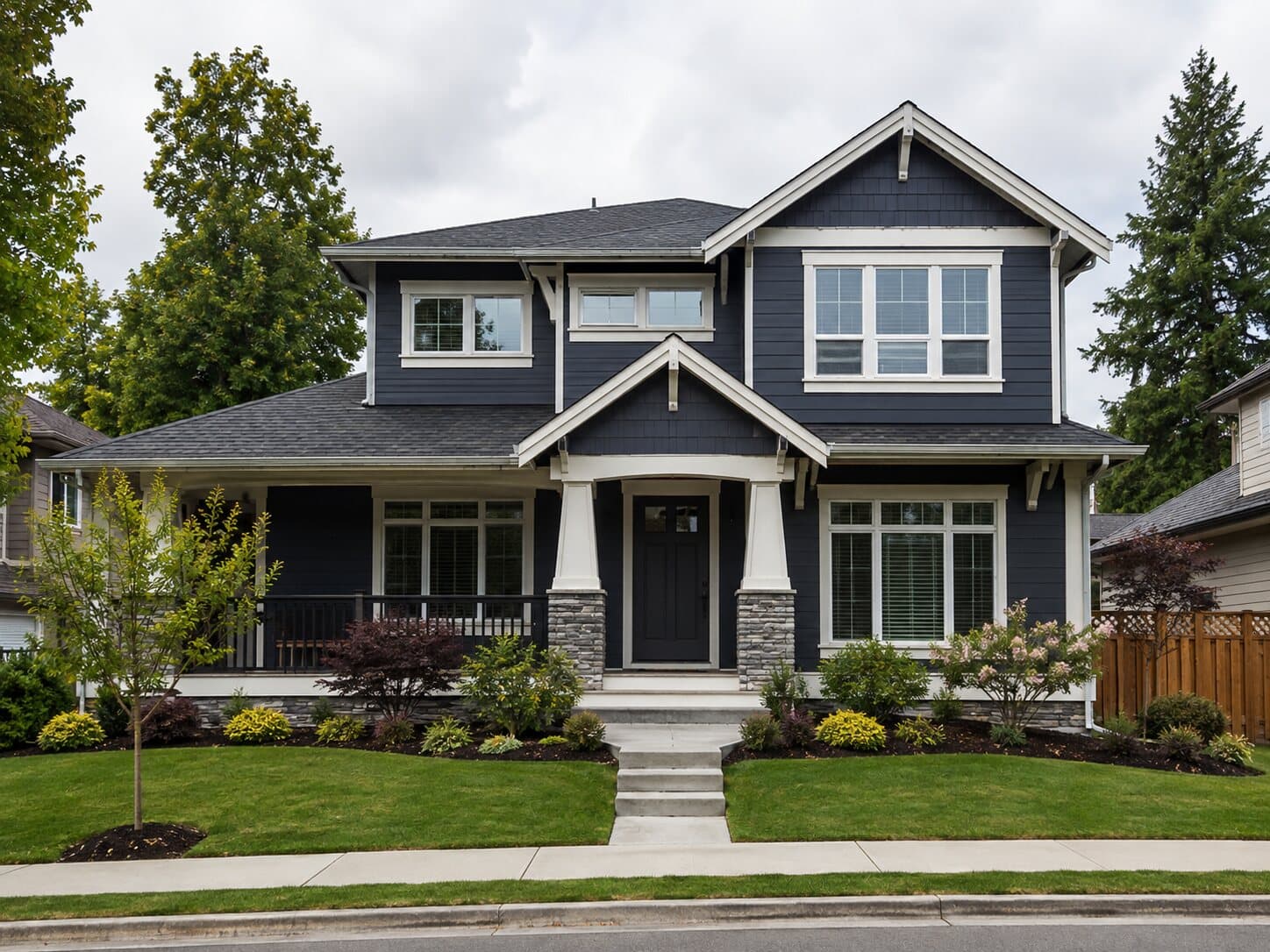
Photo 1
Front elevation, for reference
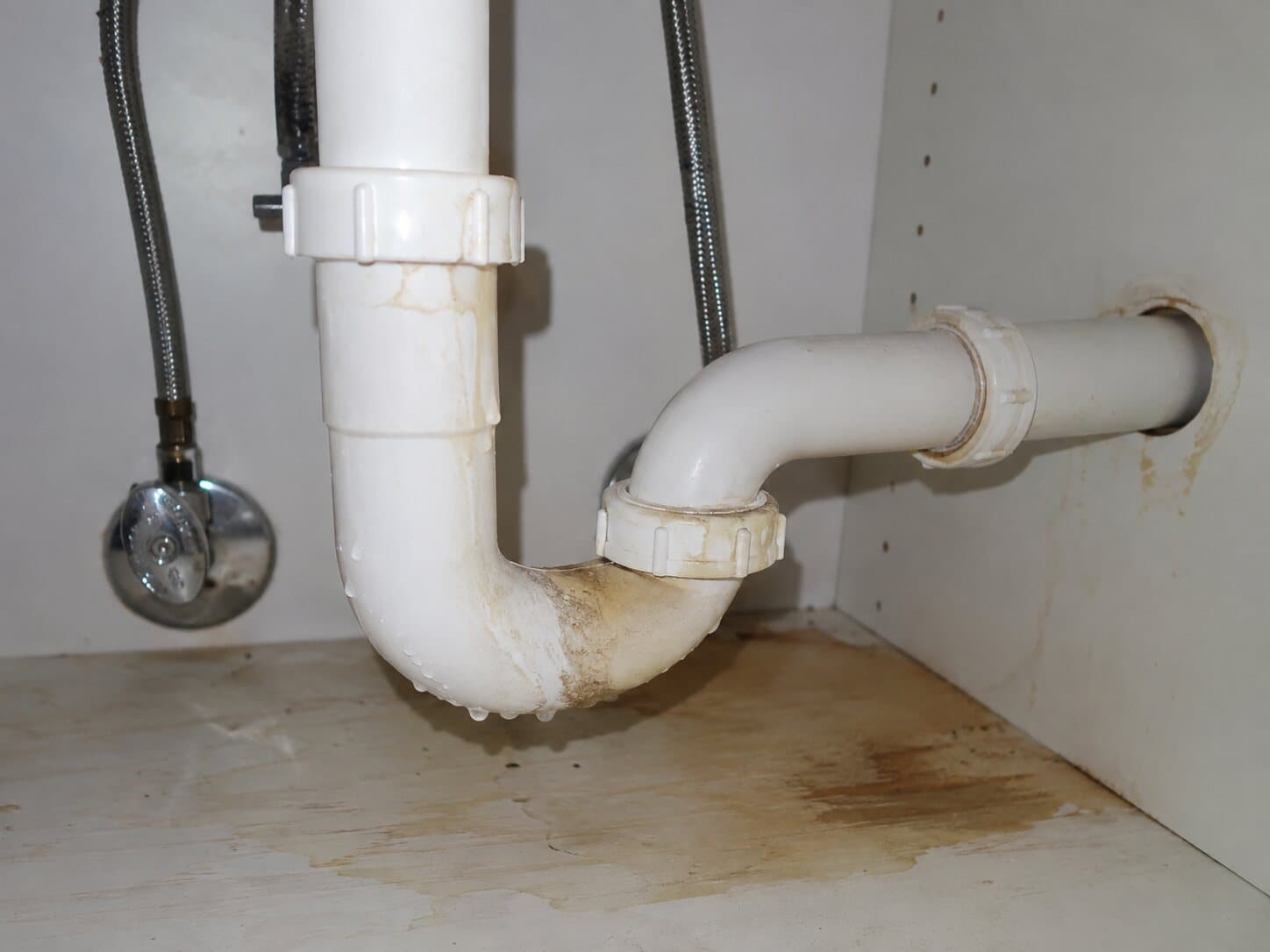
Photo 2
Moisture beneath the vanity drain
Repair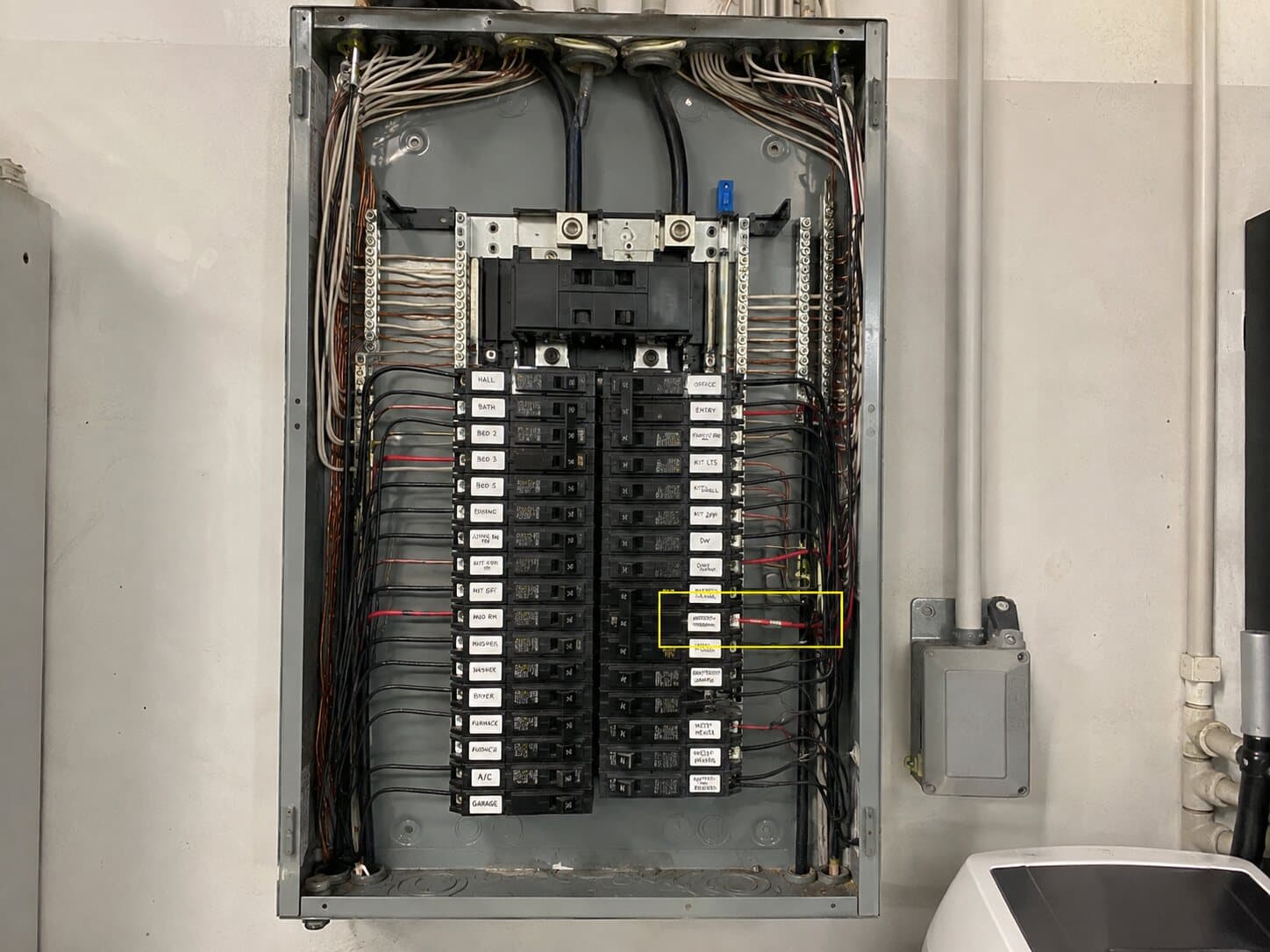
Photo 3
Breaker terminal connection needs verification
Repair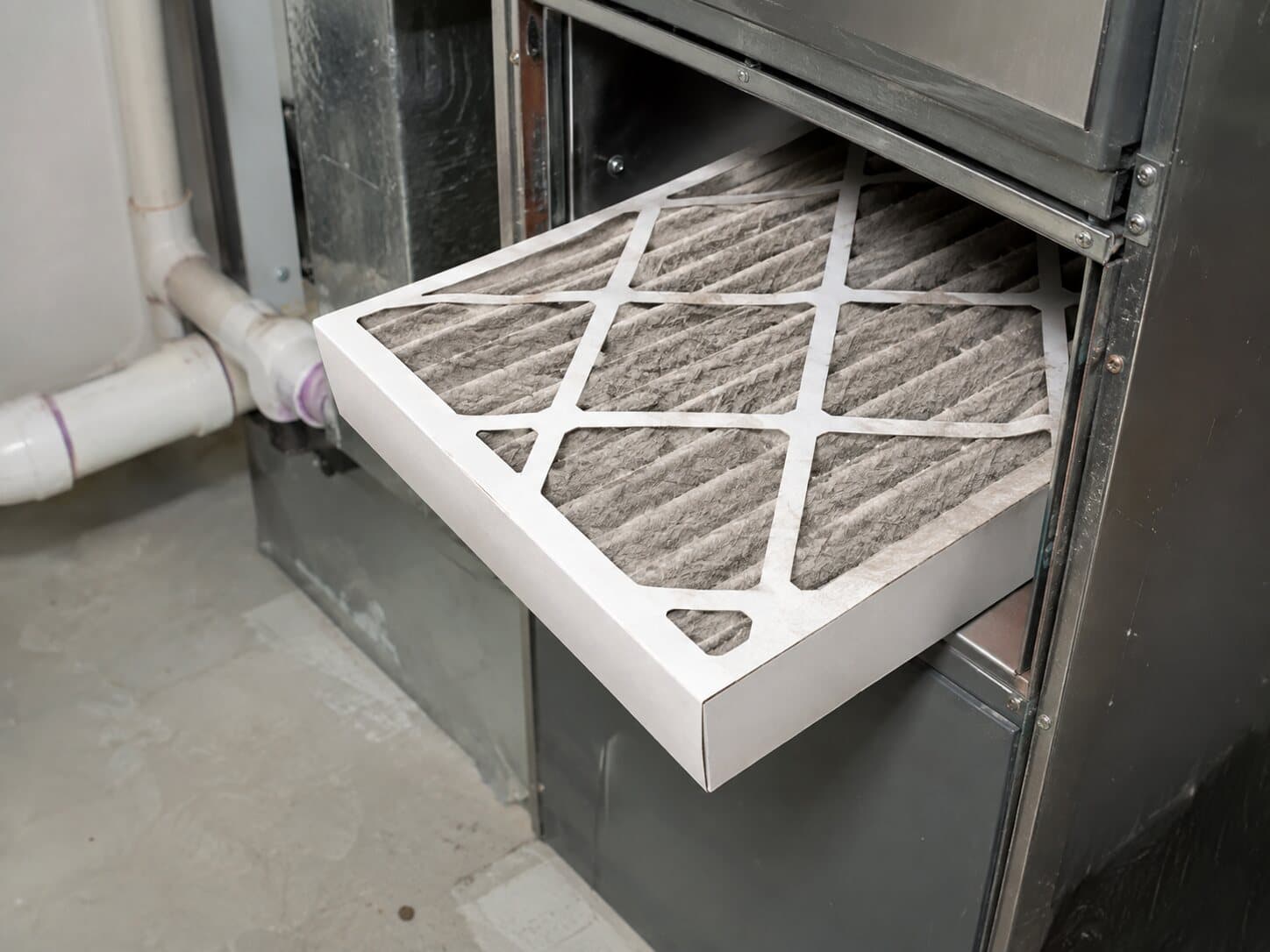
Photo 4
Dust-loaded return filter
Maintenance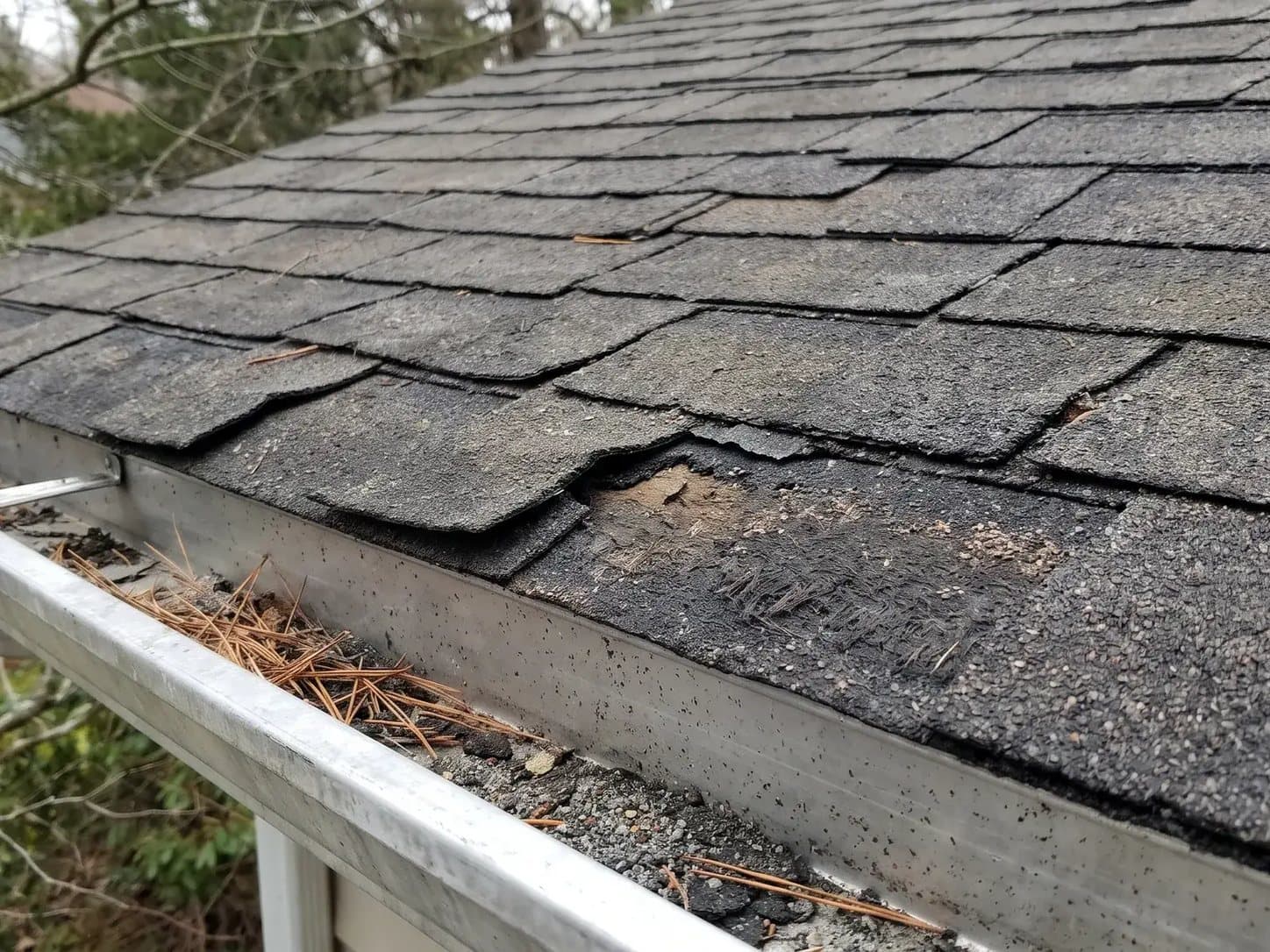
Photo 5
Worn, cracked and lifted shingles at the front eave
Repair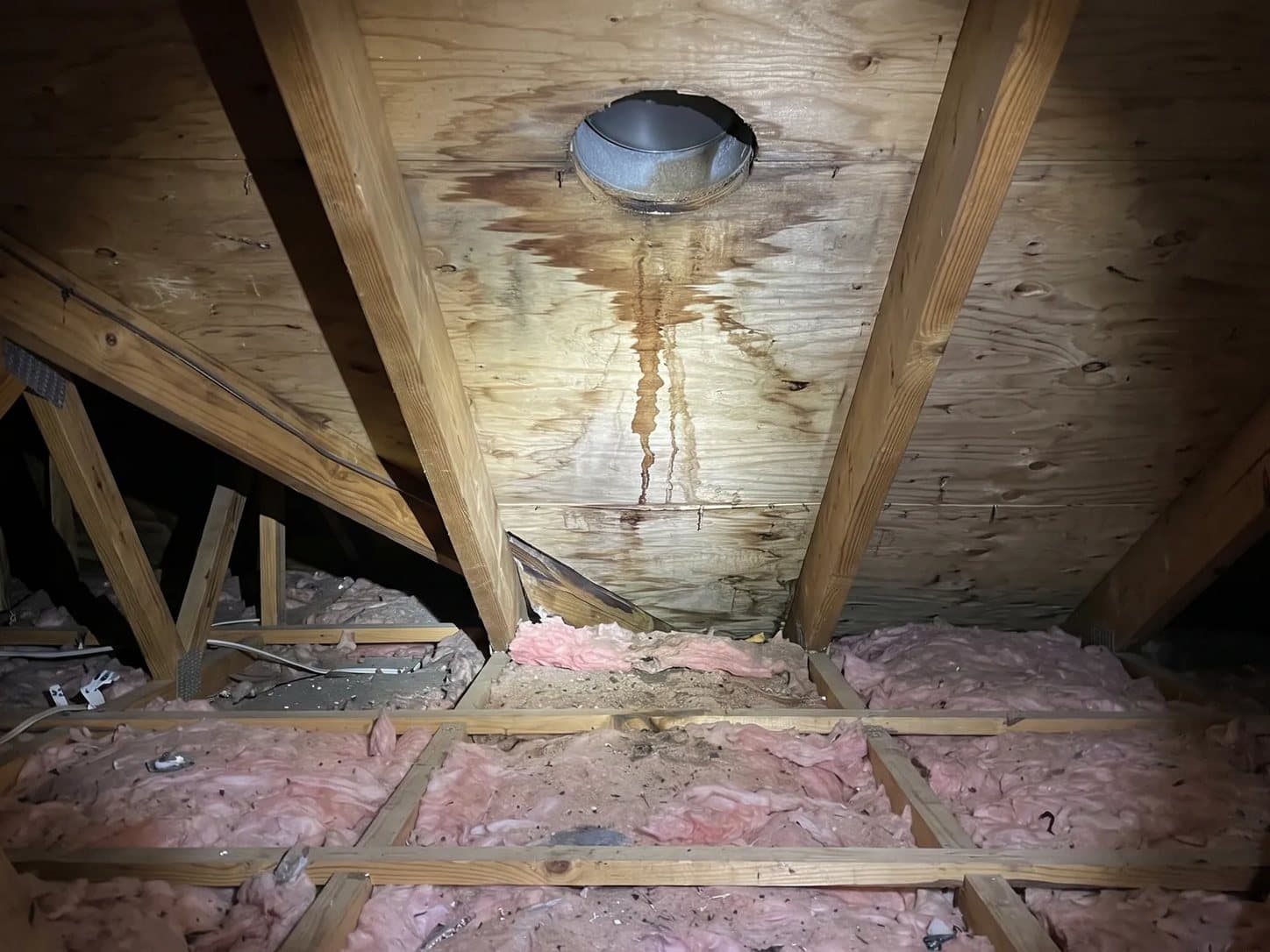
Photo 6
Water staining below a roof vent penetration
Repair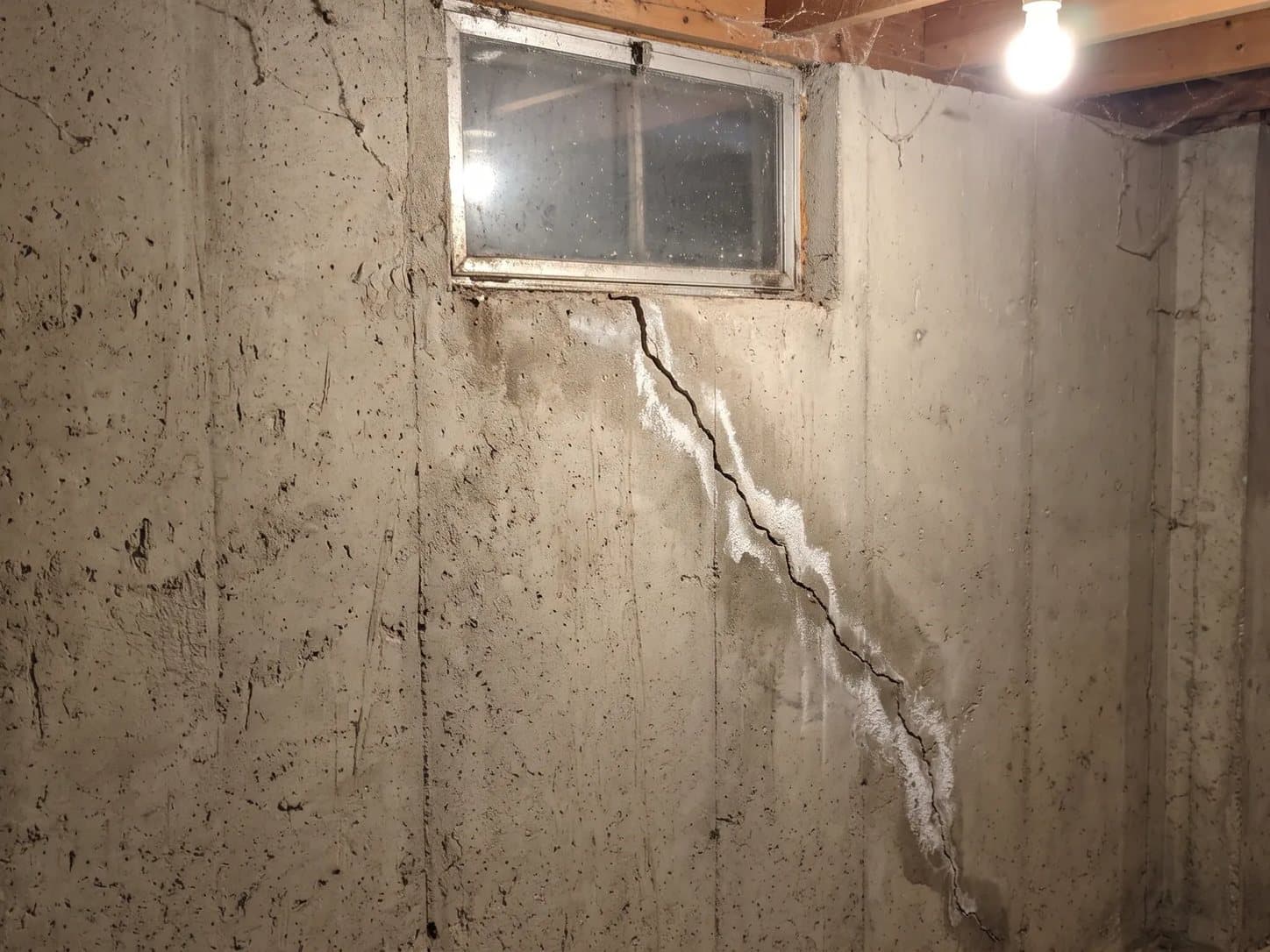
Photo 7
Diagonal crack below the basement window
Repair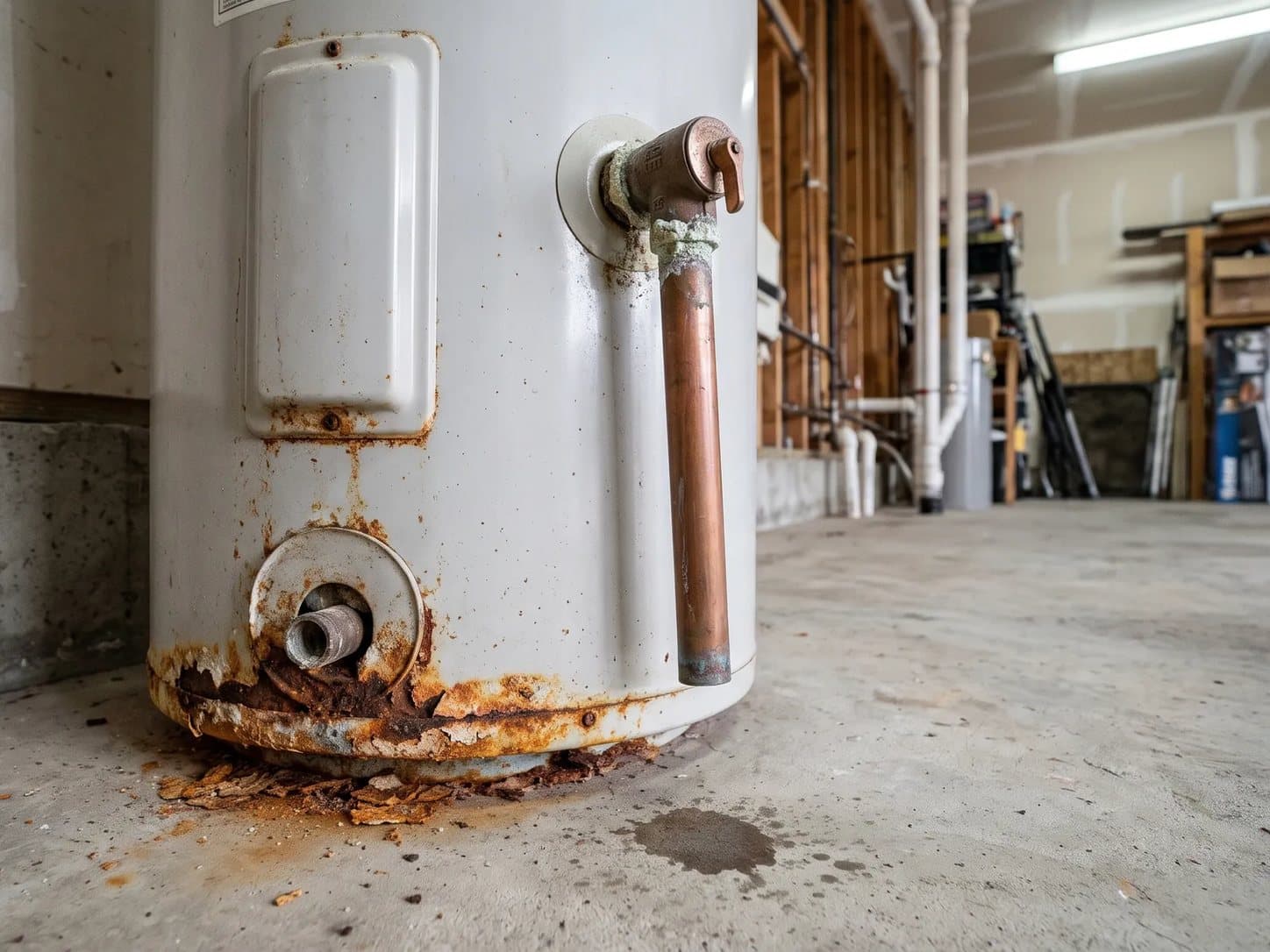
Photo 8
Corrosion at the water heater base
Repair